A donation kiosk for the masjid door.
Donors pick a fund, tap a card or phone, and keep walking. The gift lands in the fund they chose, next to everything your community gives online.
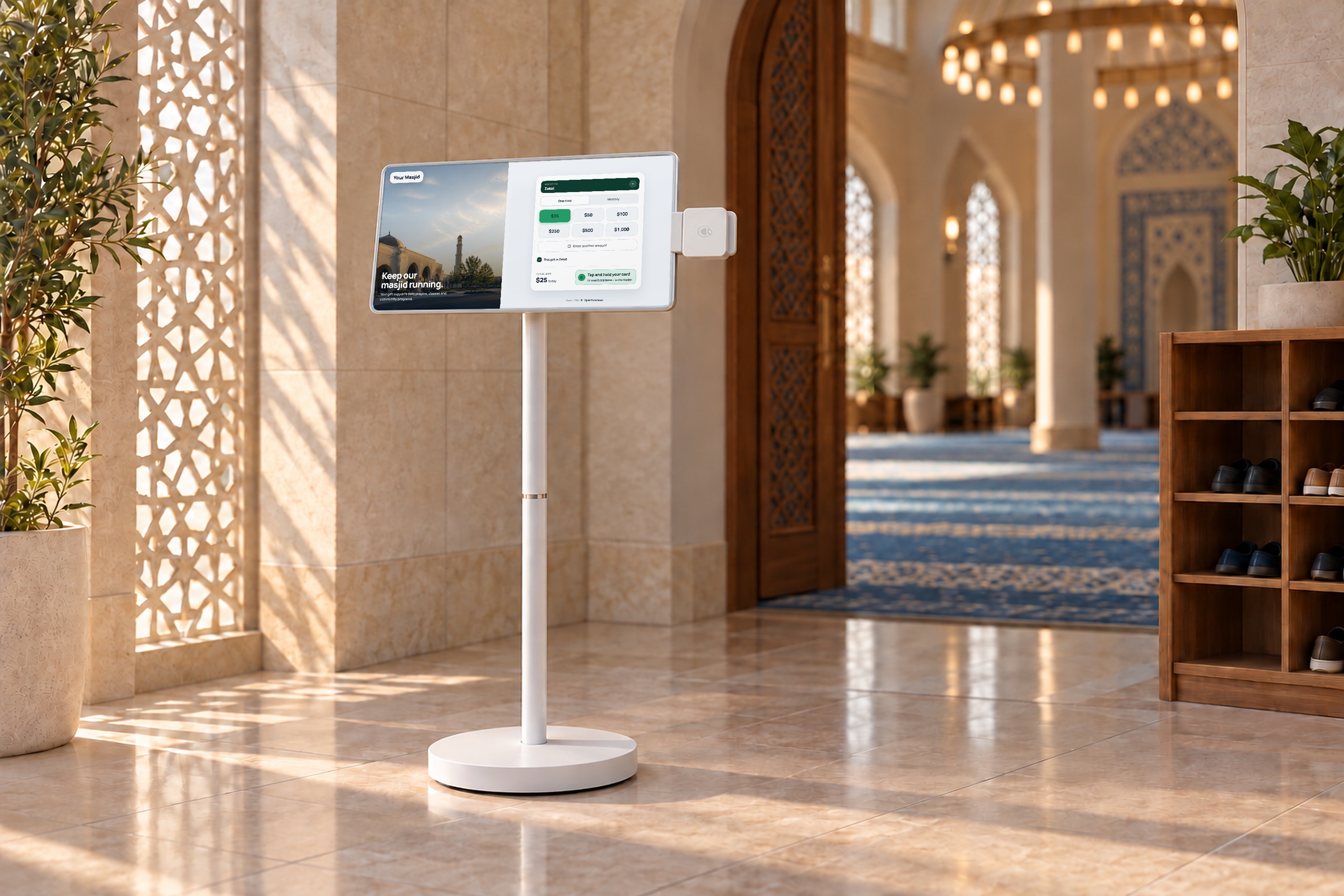
Pick a fund. Tap. Walk away.
The line after Jumu'ah keeps moving, and nobody has to count a cash box afterward.
Pick a fund
Zakat, Sadaqah, the building fund, or any fund your treasurer tracks. The buttons come from the same fund list your reports use.
Tap and go
Contactless cards, Apple Pay and Google Pay on the reader beside the screen. Chip and swipe work too. No app, account or form.
Get a receipt
A donor who leaves an email gets a receipt. Monthly donors get a link in it to manage or cancel future gifts.
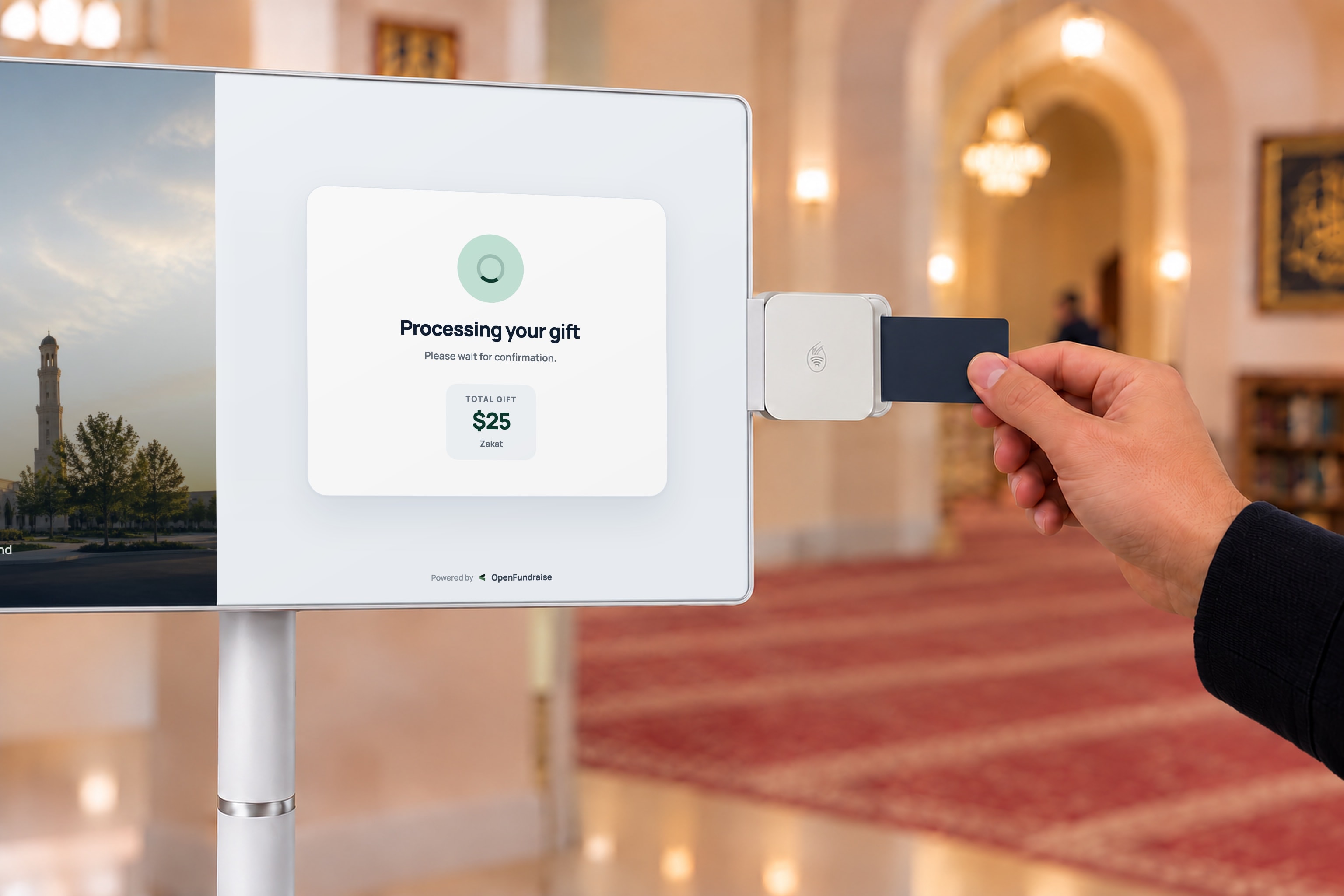
Tap, insert or swipe.
The card reader sits on the edge of the screen, at hand height. The screen points donors to it, so nobody has to ask.
- Apple Pay, Google Pay and contactless cards with one tap
- Chip cards insert at the reader's edge, and swipe still works
- The screen shows the gift processing, then a thank you with a receipt option
What the kiosk handles for you.
The details that matter when hundreds of people leave prayer at once and the treasurer needs clean books by Monday.
Zakat marked at the moment of giving
The donor can mark a gift as Zakat on the screen, so it never has to be sorted out of a general box later.
Monthly giving from the kiosk
A tick box turns any gift into a monthly gift. The first gift is charged at the kiosk and the plan bills from the next month.
Donors can cover the card fee
An optional checkbox adds the processing fee to the gift, so more of each dollar reaches the masjid.
Change the screen without touching it
Update the campaign, funds, suggested amounts and colors in a browser editor, then publish to the screen in the lobby.
Interrupted payments are checked first
If a tap is cut off, the station checks that payment before it takes another one, so a donor is not charged twice.
One ledger with online giving
Kiosk gifts land in the same donor records and funds as your online page. Filter by fund and date, then export a CSV for the board.
Two ways to set it up.
Both run the same giving software and report into the same dashboard. Use a screen by the main exit, a countertop reader at the front desk, or both.
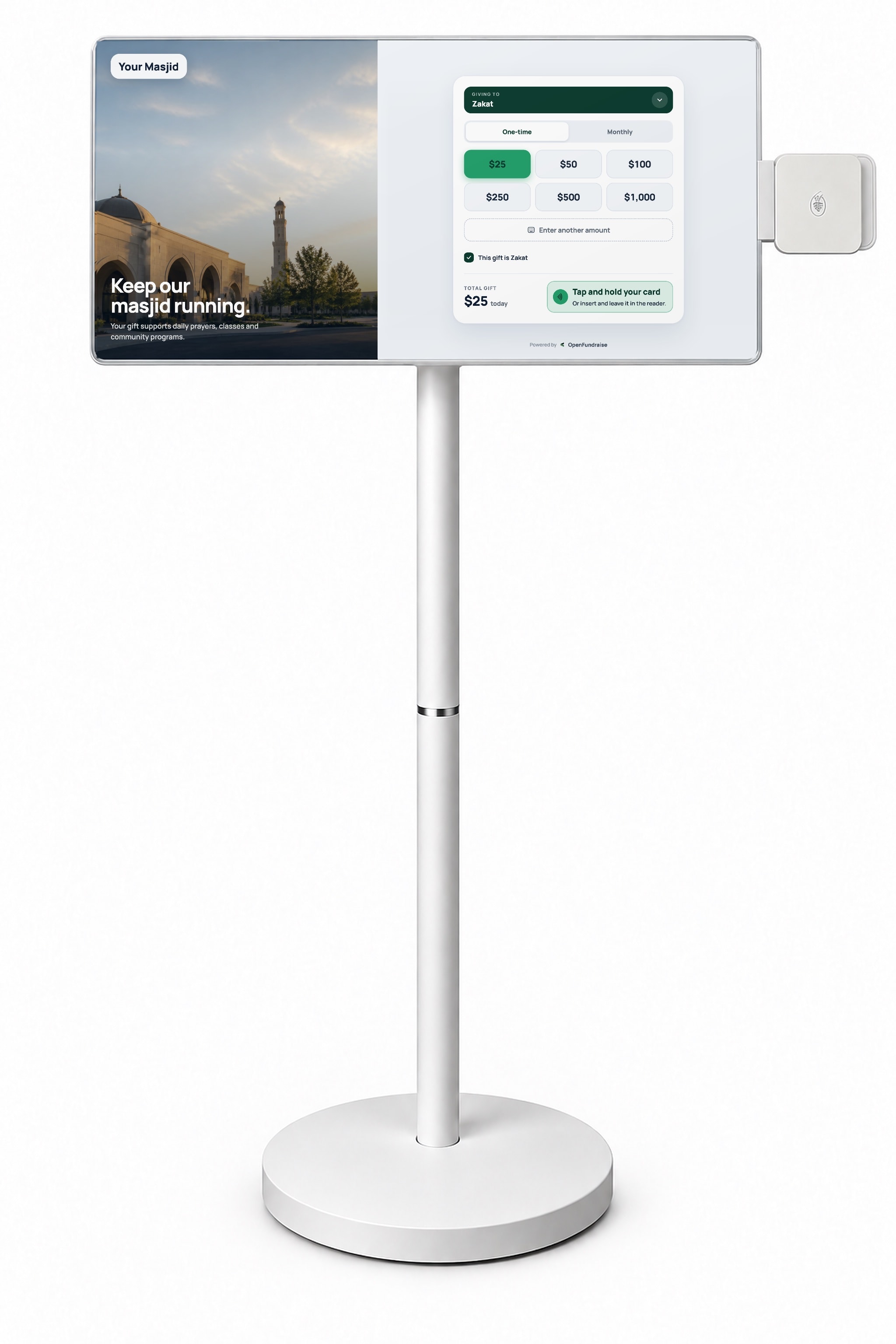
Giving screen
A large display by the door with a card reader mounted on its edge. Built for the line of people leaving after Jumu'ah and Taraweeh.
Countertop reader
The OpenFundraise giving app runs on a countertop card reader with its own screen. It suits a front desk, or volunteers walking the hall on Eid.

Islamic Center of Rowlett put giving in one place. Then the kiosks went in.
ICR moved online giving and donor records to OpenFundraise, started Jumu'ah emails, and put TV giving kiosks in the masjid. Gifts now come in every day of the week, not just Friday.
Before you put a kiosk by the door.
What does a donor need to give at the kiosk?
A contactless card or a phone with Apple Pay or Google Pay. Chip and swipe cards also work on the reader. There is no app to download and no account to create.
Can we keep Zakat separate from Sadaqah and the general fund?
Yes. Each fund on the screen is a fund in your dashboard, and donors can also mark a gift as Zakat. Every gift is recorded against the fund the donor chose, so the treasurer can report each fund on its own.
Can donors set up monthly giving at the kiosk?
Yes. The donor ticks the monthly box before tapping. The first gift is charged at the kiosk, the monthly plan starts the next month, and the receipt includes a link to manage or cancel it.
What happens if the internet drops?
Card payments need a connection, so the screen tells donors that giving is paused and comes back on its own when the connection returns. Put the kiosk where the Wi-Fi is strong.
Where does the money go?
Payments run on Stripe and are paid out to your masjid's connected Stripe account. Kiosk gifts and online gifts appear together in your OpenFundraise dashboard.
How much does a masjid kiosk cost?
It depends on the setup and how many stations you need. On a 30-minute call we look at where the kiosk would go and give you hardware and fee pricing for that setup.
The rest of your masjid's giving.
See it with your masjid's funds.
- We set up Zakat, Sadaqah and your building fund the way your treasurer reports them.
- We look at where a kiosk would go and which setup fits.
- You see the dashboard your board will actually read.
A 30-minute call. We plan your funds and where the kiosks go.